OPEN SOURCE · MIT LICENSE · v0.1.0
PHP, played differently.
A modern desktop REPL that runs your code in your project's real context. Built on Electron. Designed for serious PHP developers.
View on GitHubWHAT IT IS
Tinker with PHP. Without leaving your project.
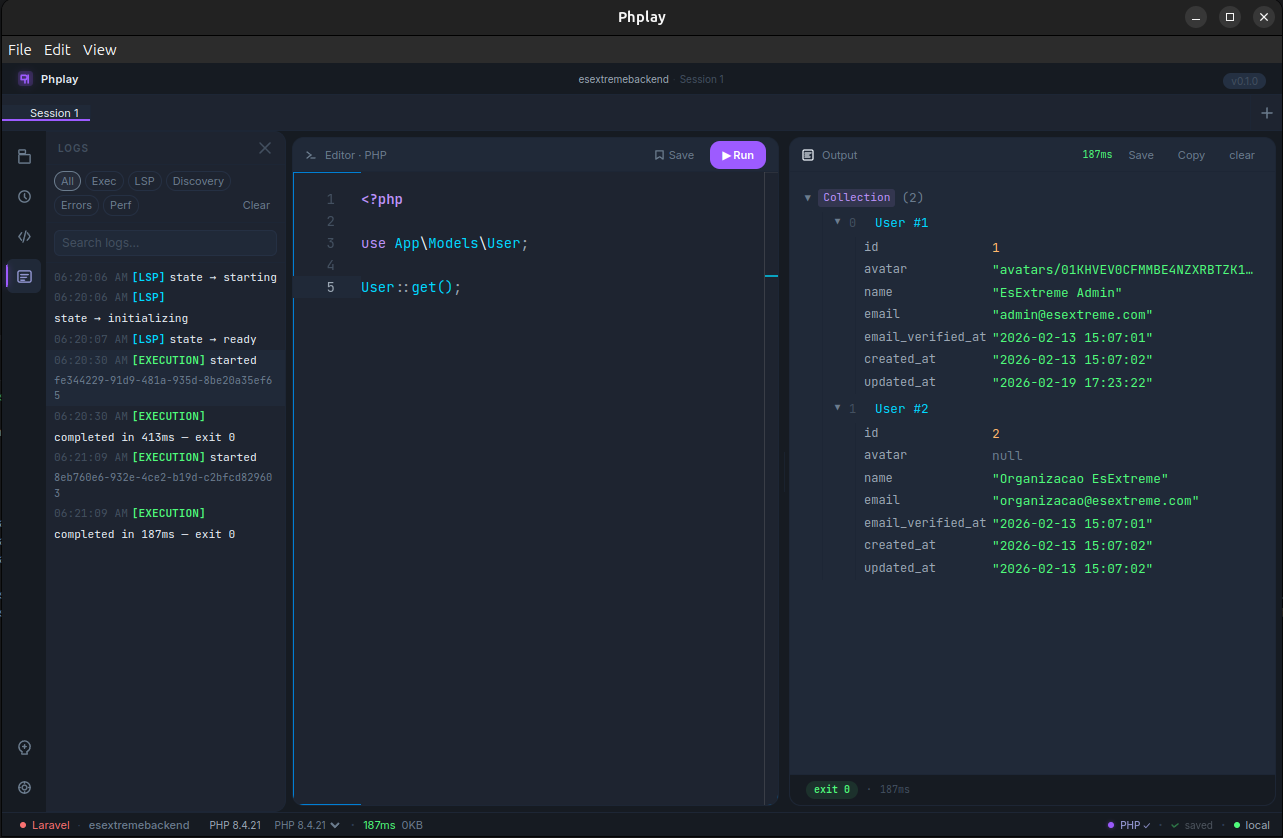
Phplay is a desktop application that lets you write, run, and inspect PHP code in the real context of any Laravel, Symfony, or WordPress project. Open a folder, write a snippet, hit run — your code executes inside your project's environment, with full access to its models, configuration, and database.
No more cluttering your codebase with temporary routes or controllers. No more juggling tinker in a terminal that can barely show you a string. Just a real editor, a real output panel, and the rest of your stack at your fingertips.
Instant context
Open a project. Phplay detects the framework, boots it, and your snippets run with everything available.
Inspect deeply
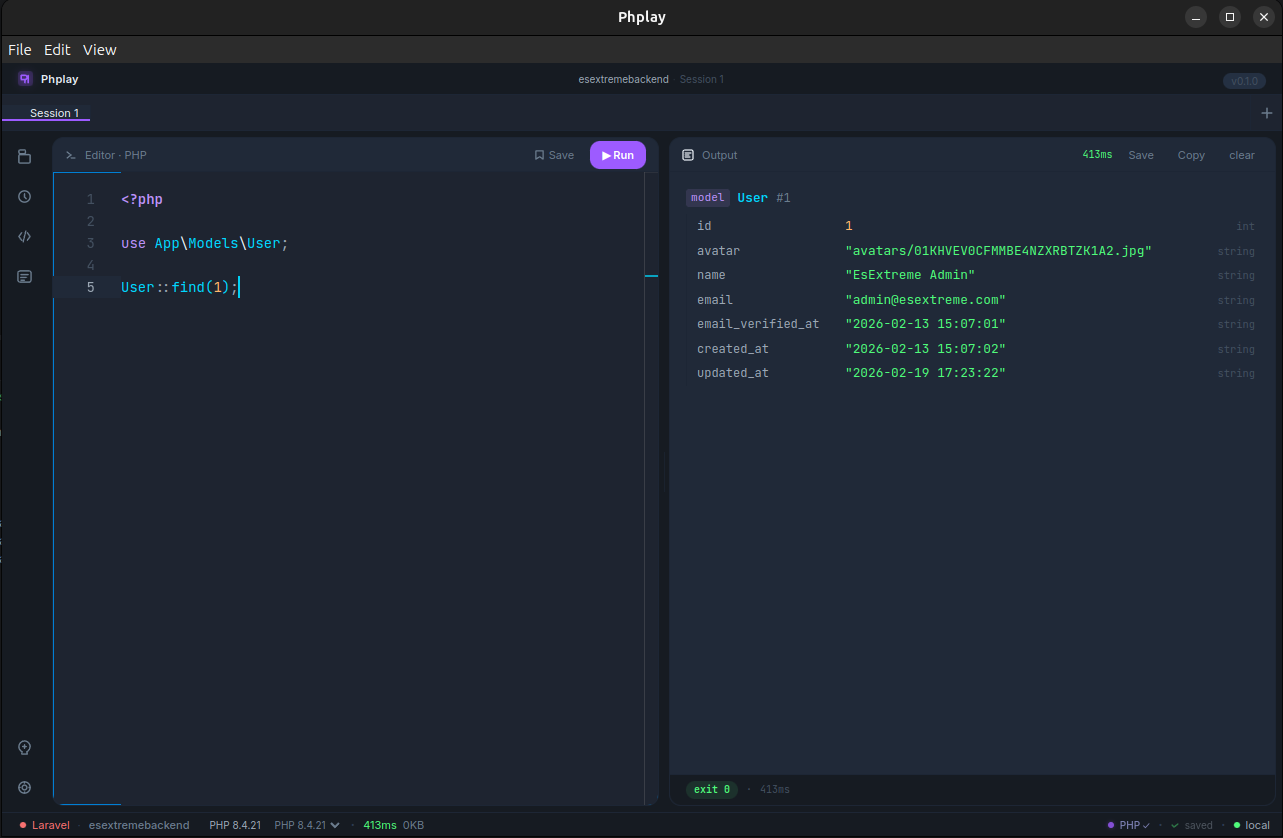
Rich output panel renders objects, collections, and tables — not text dumps. See your data the way it actually is.
AI built in
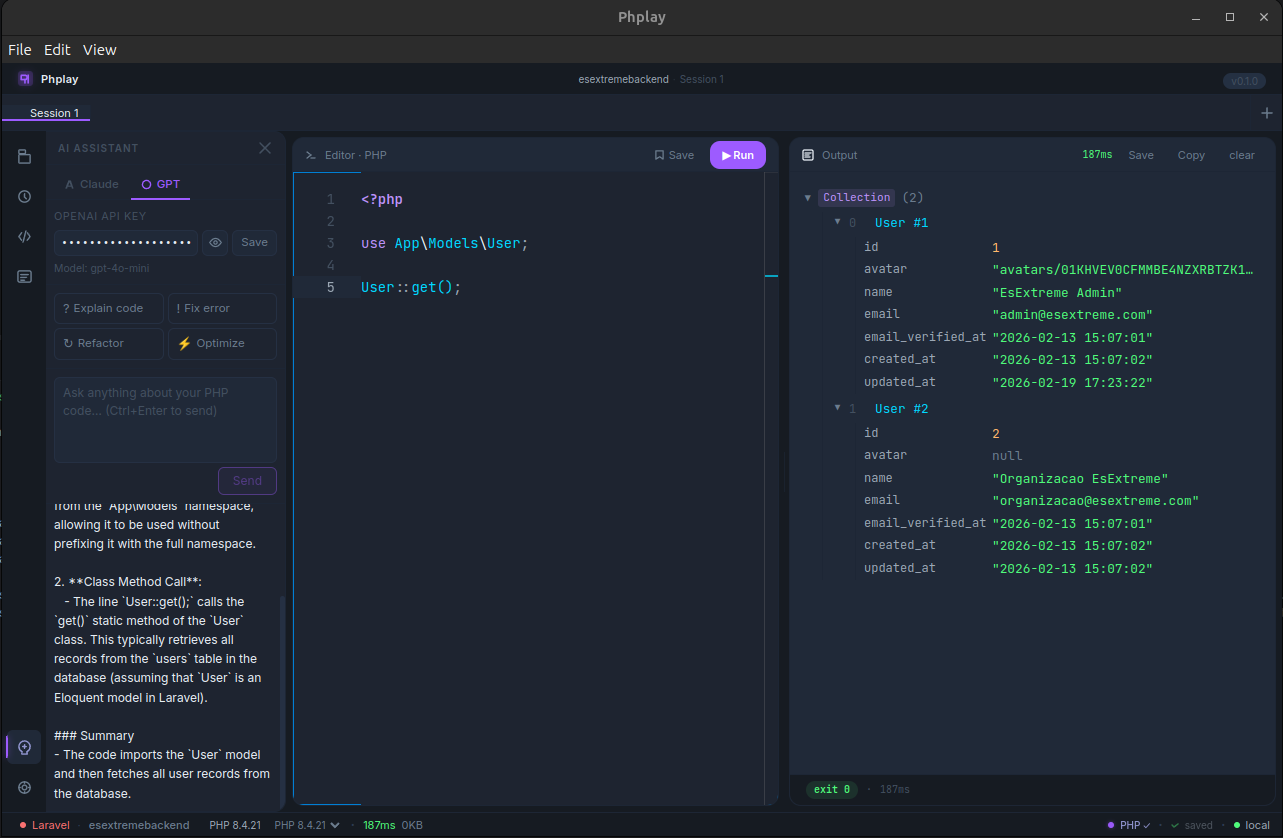
Bring your own Claude or OpenAI key. Get code explanations, error fixes, refactors, and optimizations inline.
EXECUTION
Run any PHP. See real results.
Write code in a syntax-highlighted editor powered by Monaco — the same editor inside VS Code. Hit Ctrl+Enter. Phplay runs it against your project's PHP, captures stdout, stderr, and exit code, and renders the result. Arrays, collections, objects, errors — all formatted to be readable.
CONTEXT
Your project's context, fully booted.
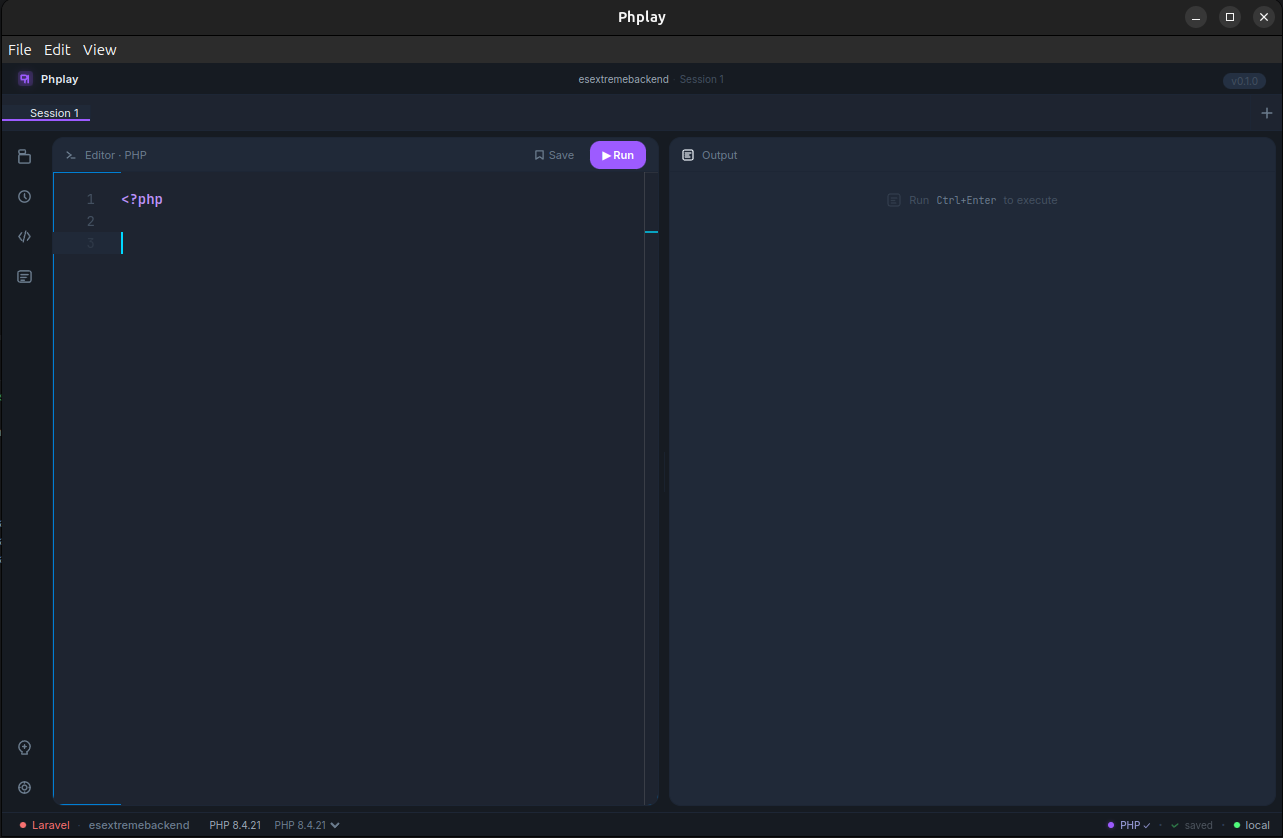
Phplay detects Laravel, Symfony, WordPress, or plain PHP, and boots the framework before running your snippet. Your models, container, configuration, environment variables — everything is there. Query the database, call services, dispatch events. Without writing a single route.
AI
Claude and GPT, inside the REPL.
Bring your own API key — Claude or OpenAI. Ask the AI to explain what your code does, fix an error, refactor a function, or suggest optimizations. The model sees your snippet and your project context. Output streams directly into the side panel. Your keys stay local; nothing is sent through Phplay servers (there are no Phplay servers).
WORKFLOW
One window. Many experiments.
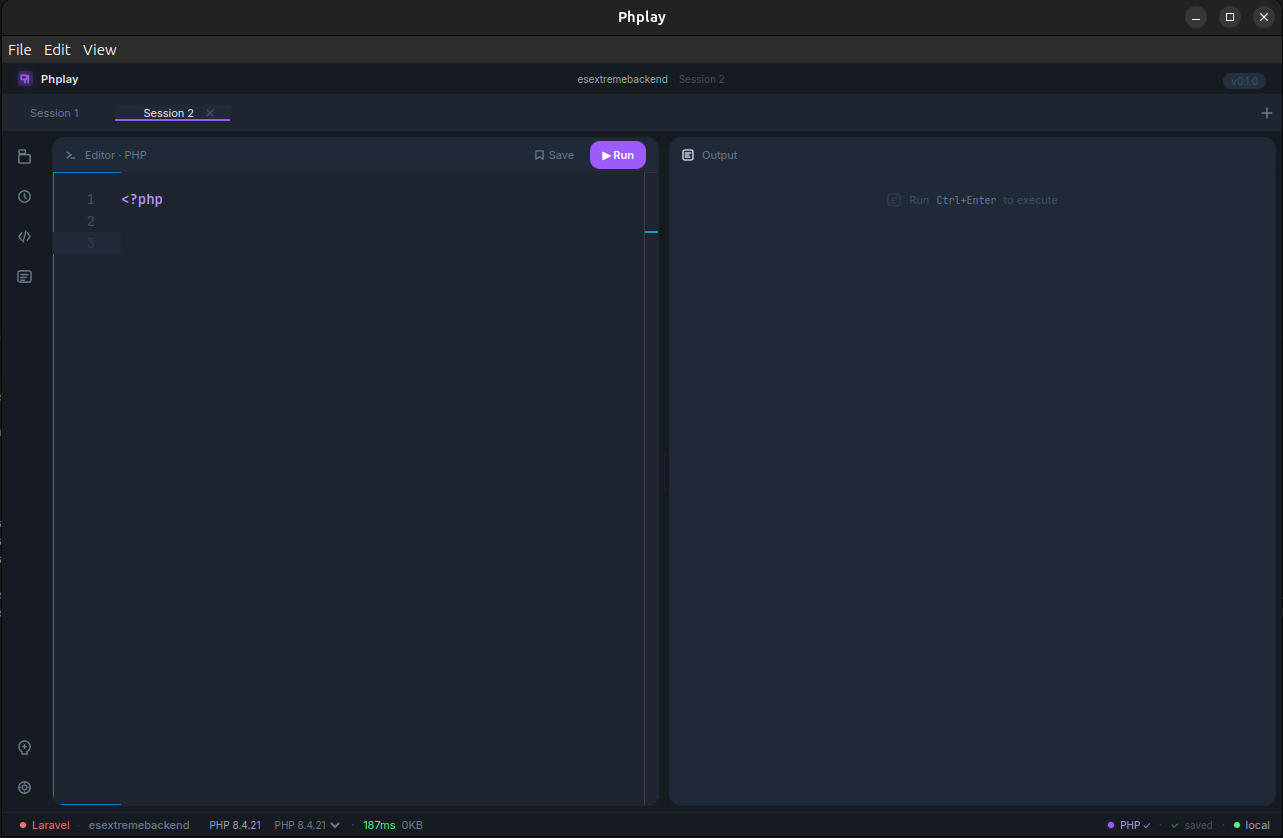
Open multiple sessions side by side, each with its own snippet, its own state, its own history. Compare two queries. Test a hypothesis without losing the previous one. Ctrl+T for a new session, Ctrl+W to close.
DISCOVERY
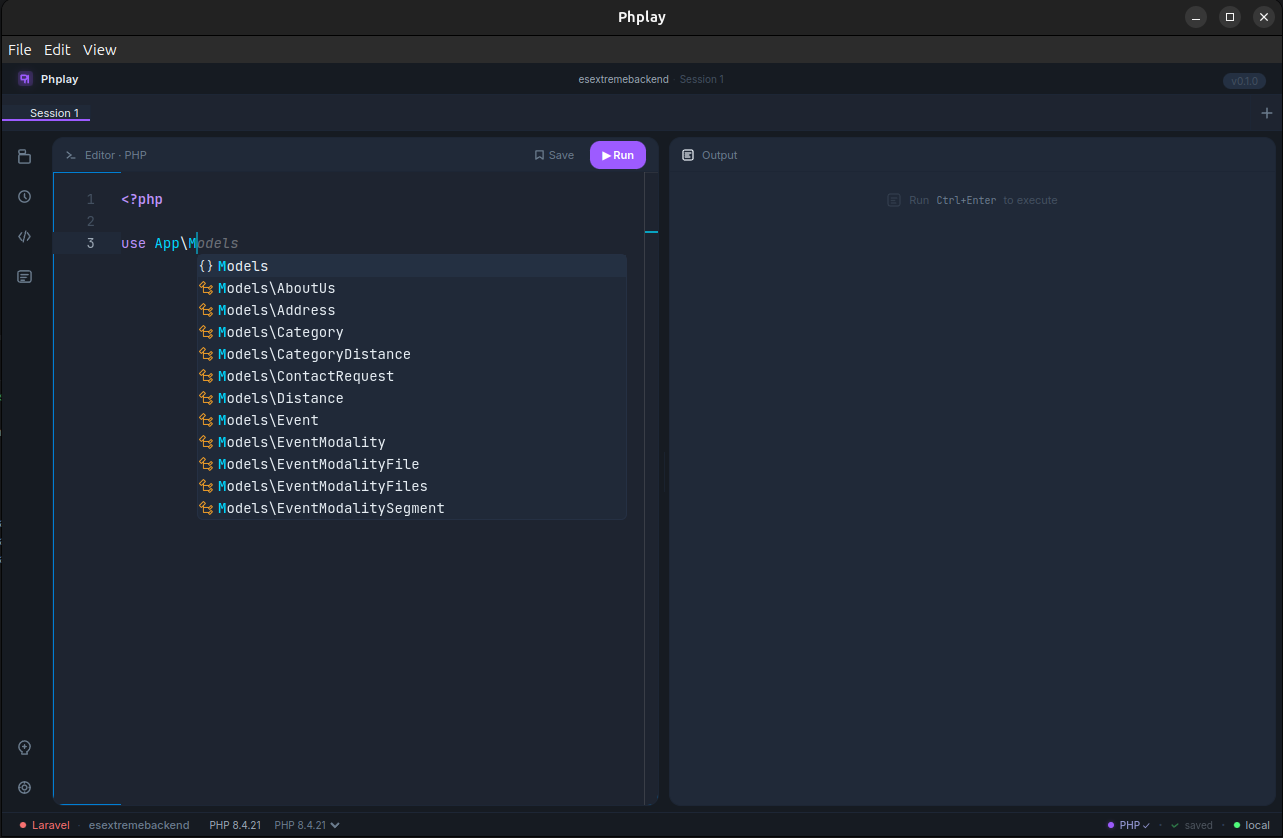
Autocomplete that knows your code.
Type App\Models\ and Phplay shows every model in your project. Phplay's discovery layer scans your project's namespaces, classes, and methods. Find what you need without leaving the editor.
HISTORY
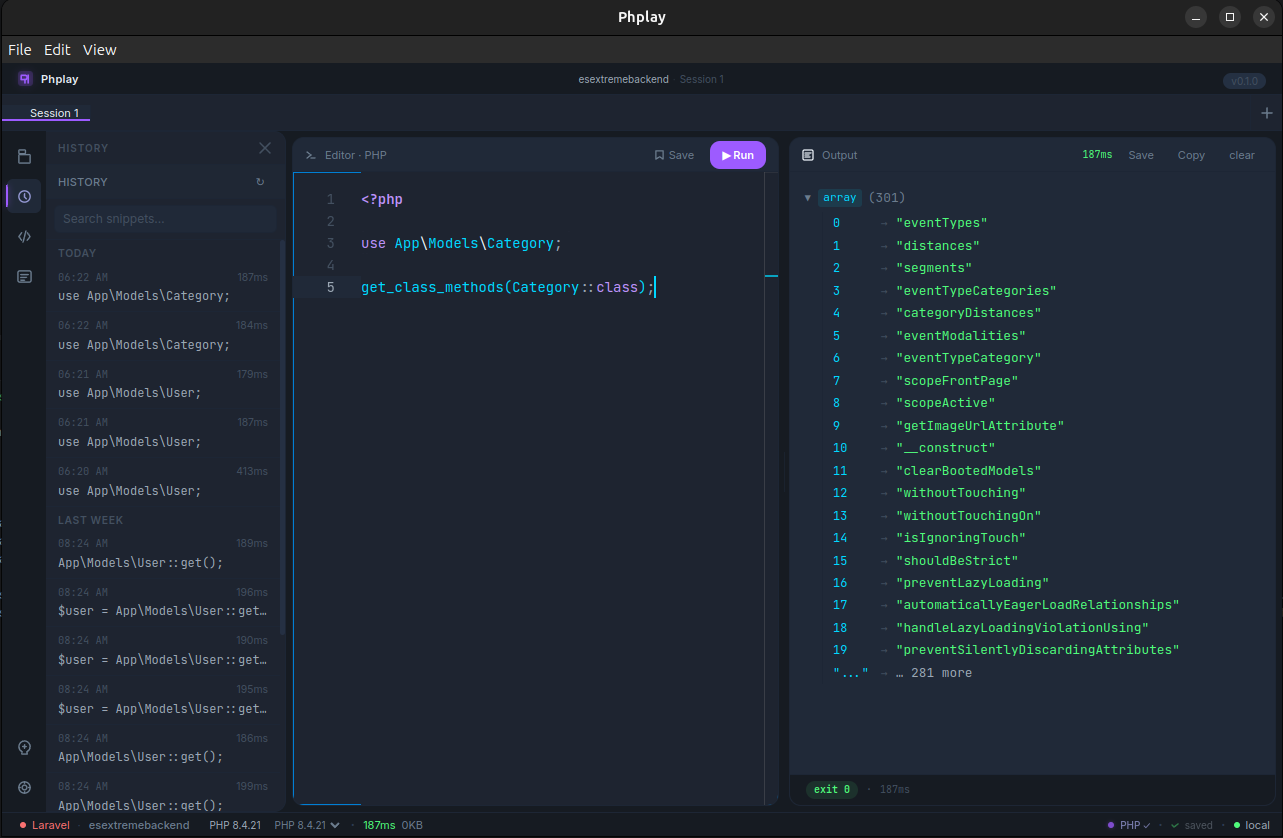
Every run, remembered.
Phplay keeps a searchable log of every snippet you've executed, with timestamps, durations, and outcomes. Find that one-liner you wrote last week. Re-run it. Edit it. Save it.
SNIPPETS
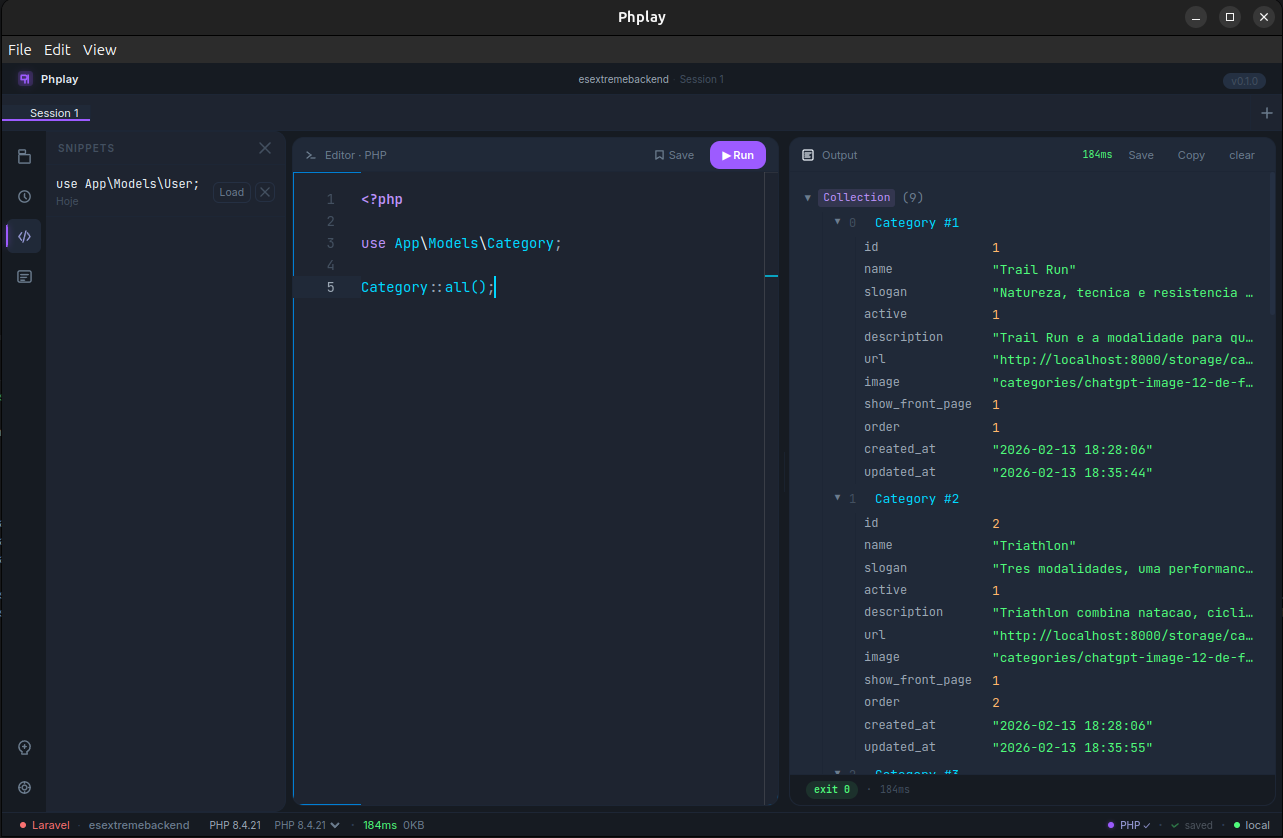
Save what's worth keeping.
Promote your best one-liners into permanent snippets. Loaded into any session with one click. Build a personal library of debug helpers, common queries, and the magic incantations you always forget.
THEMES
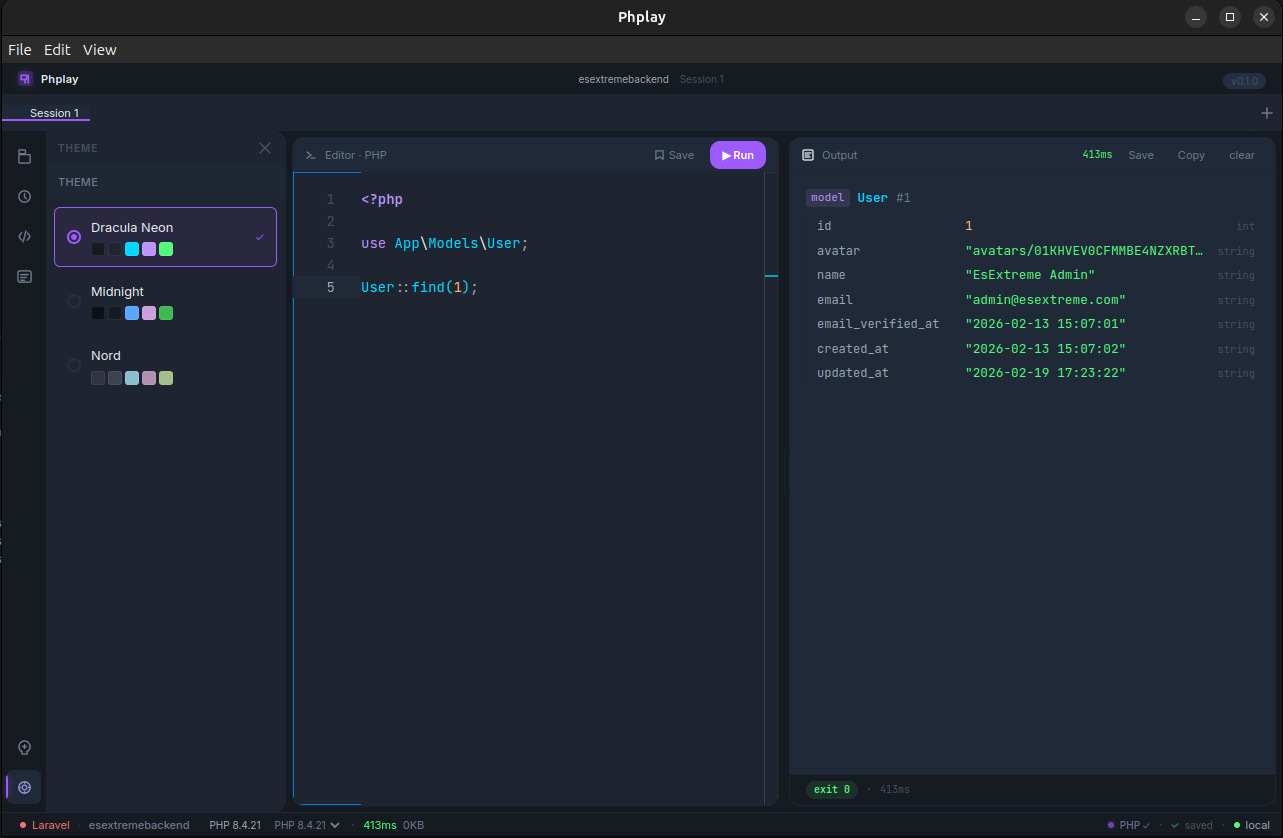
Make it yours.
Built-in themes — Dracula Neon (default), Midnight, Nord — with more coming. Both the editor and the entire app respect the theme. Pick the one that fits your mood, or your monitor, or your retinas.
OBSERVABILITY
See what Phplay is doing.
A built-in log panel shows execution events, language server activity, project discovery, errors, and performance metrics. Filter by category, search by text. Useful when something weird happens — or when you're just curious.
WHY PHPLAY
Built for how PHP developers actually work.
Phplay was built by a PHP developer who got tired of polluting projects with temporary debug routes, struggling to read var_dump output in a terminal, and copy-pasting code into half a dozen incompatible tools. It's a tool meant to disappear into your workflow — fast, polished, and respectful of your environment.
| Phplay | Generic alternatives | |
|---|---|---|
| Editor | Full Monaco editor with PHP language support | Terminal line editing |
| Output | Rich, structured, expandable | Plain text dump |
| Project context | Auto-detected and booted | Manual setup |
| AI integration | Built in, bring your own key | None |
| Cost | Free, open source, MIT licensed | Varies |
OPEN SOURCE
Free, MIT-licensed, and yours to fork.
Phplay is built in the open on GitHub. The code is yours to read, audit, modify, and ship. Pull requests welcome. Issues are read. Forks are encouraged. If you build something cool on top of it, tell us.
View the source
Star the repo, browse the code, open issues, or contribute. Everything is in the open.

Made by Rhaymison Betini
PHP developer, AI engineer, open-source enthusiast. Building tools I want to use.




DOWNLOAD
Get Phplay. Now.
Free for everyone, forever. Available now for Linux.