Open Source

The Terminal,
Reimagined.

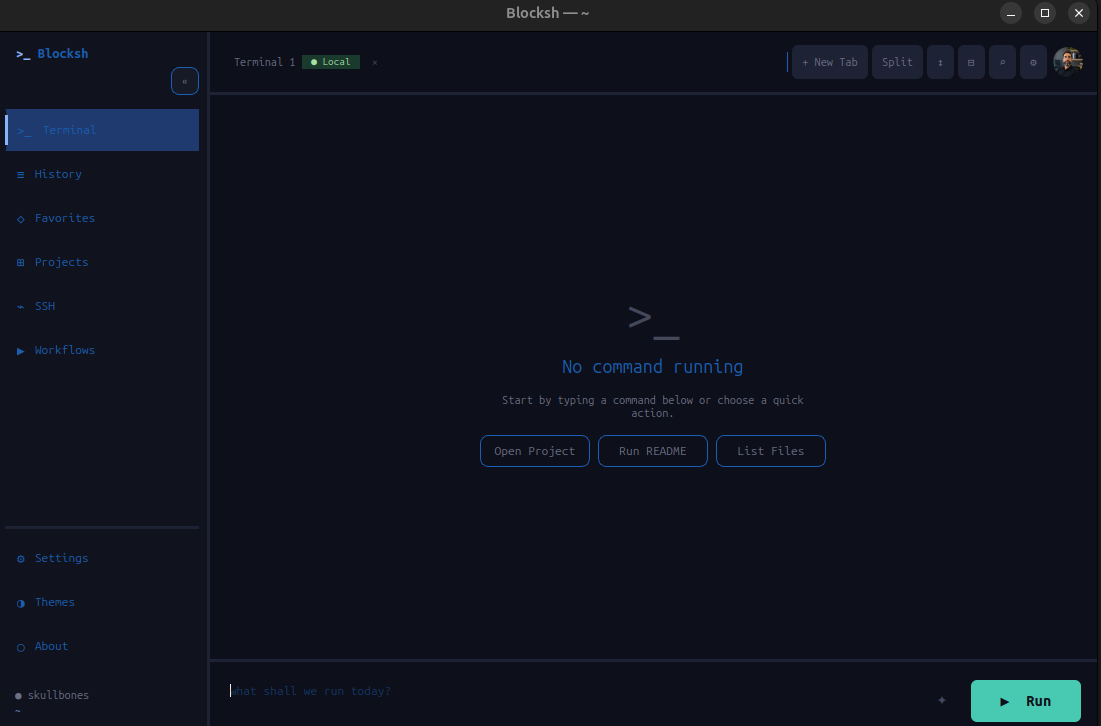
Blocksh is a Warp-style terminal emulator with a built-in AI agent, block-based command output, full PTY support, and a beautiful Catppuccin theme — engineered for the command line era.

blocksh — ~/projects/myapp
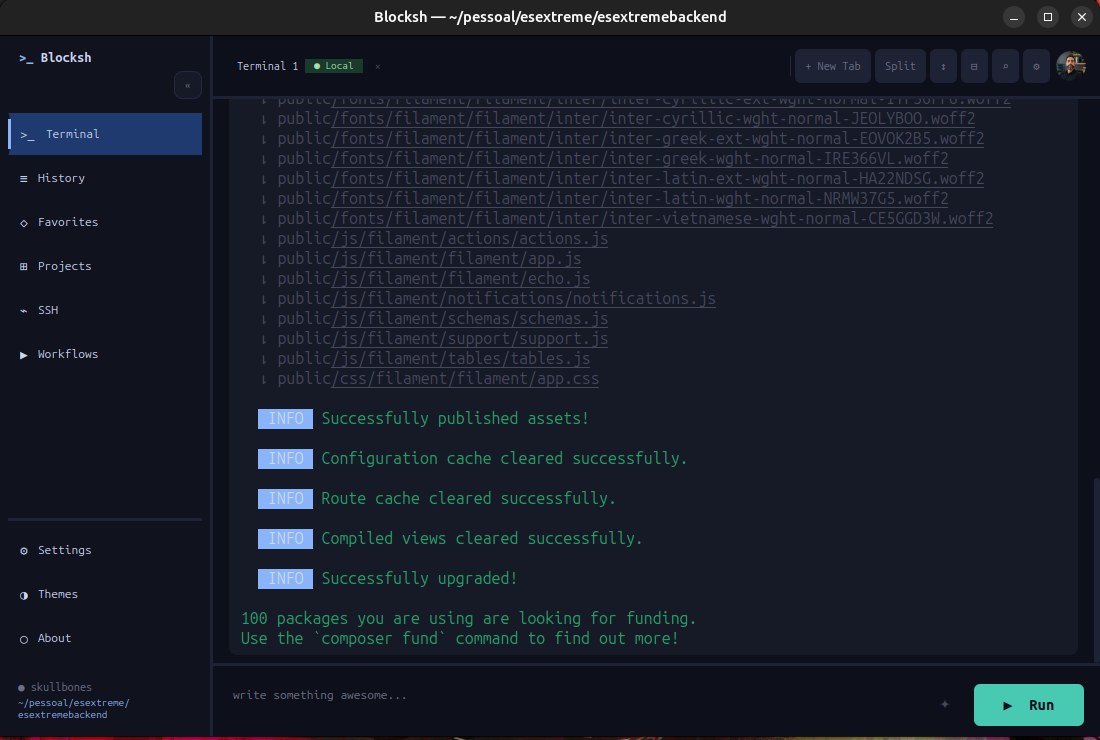
Blocksh terminal in action

A terminal built for
modern developers

Blocksh brings the best ideas from Warp Terminal to an open-source, cross-platform desktop app. Every command becomes a structured block — with its output, exit code, timestamp, and working directory captured cleanly for review.

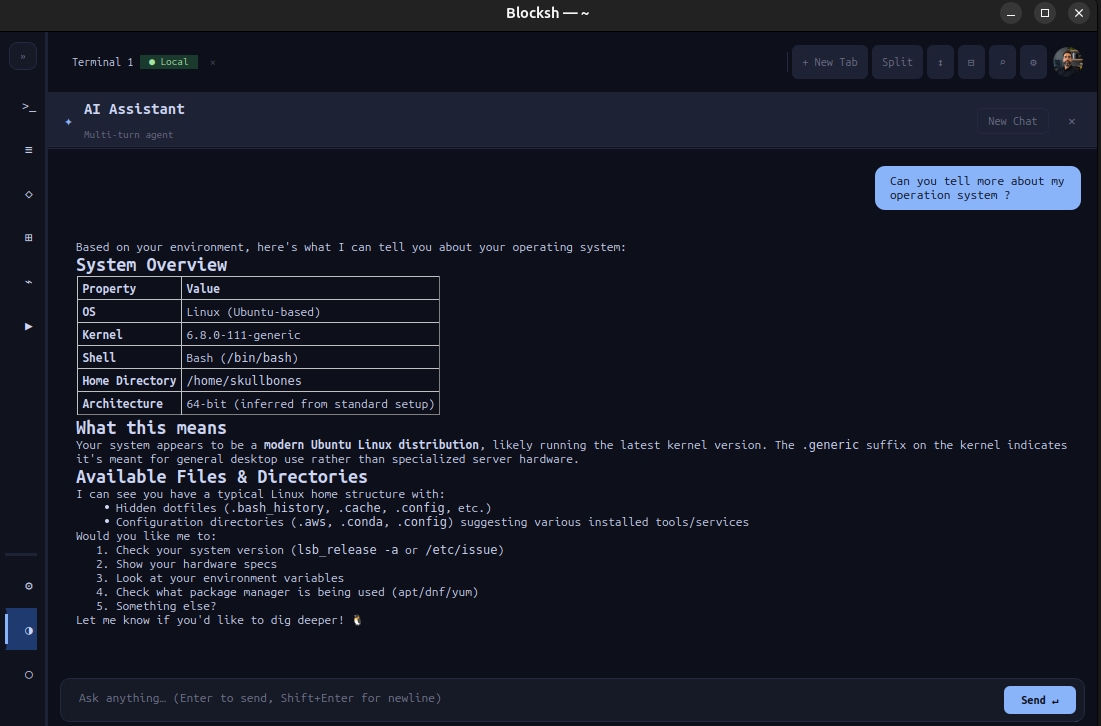
The built-in AI agent understands your project context, reads your files, and runs commands on your behalf using natural language. No more copying error messages into ChatGPT.

Built with PySide6 and Python, Blocksh is hackable, extensible, and packaged as a single AppImage for Linux.

PTY
Full interactive terminal — vim, htop, ssh, and more
AI
Claude-powered agent that inspects and acts on your project
5+
Project types auto-detected: git, node, python, rust, go
Custom JSON themes with live preview and hot-reload
Everything you need,
nothing you don't

AI Agent

Ask questions, generate commands, or let the agent inspect your project files and run tasks autonomously — powered by Claude.

Block-based Output

Every command is a clean, scrollable card with its stdout, stderr, exit code, timestamp, and working directory — always at a glance.

Full PTY Support

Run vim, nano, htop, ssh, and even Claude Code natively — the PTY renderer handles complex ANSI sequences and interactive programs.

Project Detection

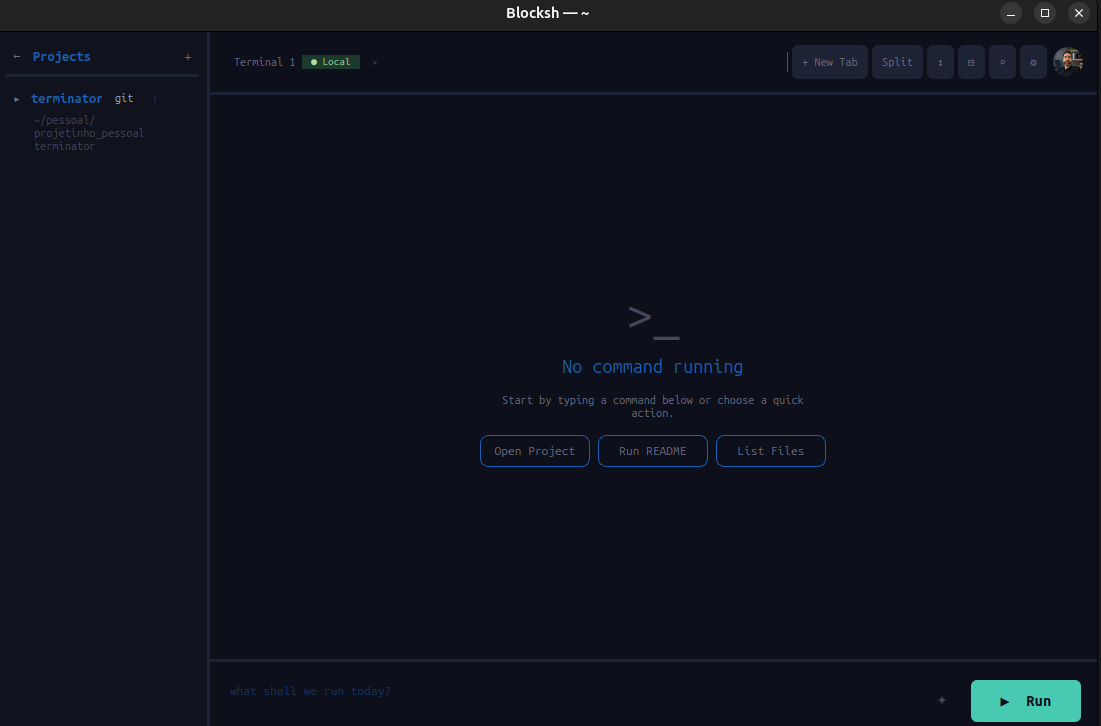
Blocksh auto-registers git repos, Node, Python, Rust, and Go projects. Browse project histories and re-run past commands from the sidebar.

Beautiful Themes

Ships with Catppuccin Mocha and Latte. Drop any JSON theme file in ~/.blocksh/themes/ for instant live preview.

Smart History

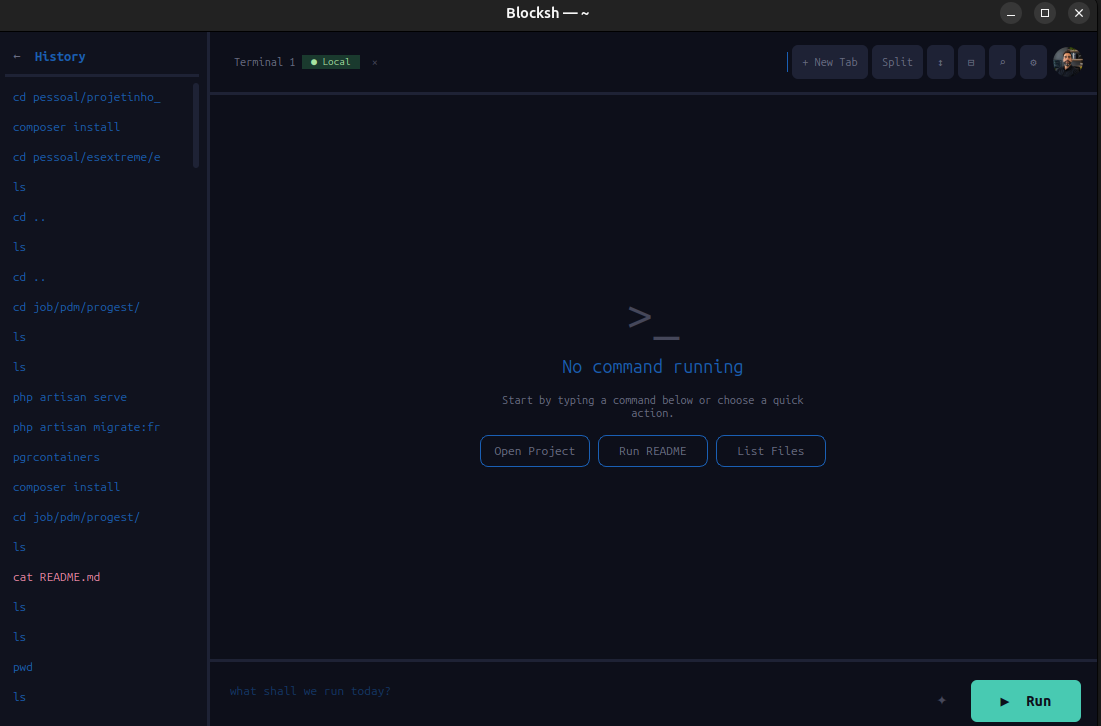
Persistent SQLite history with full-text search, favorites pinning, and per-project command logs — never lose a working command again.

Designed to be
a joy to use

A clean, dark interface that stays out of your way — and shows you exactly what you need when you need it.

blocksh — terminal
Terminal block output
History sidebar
Projects sidebar
AI agent in action
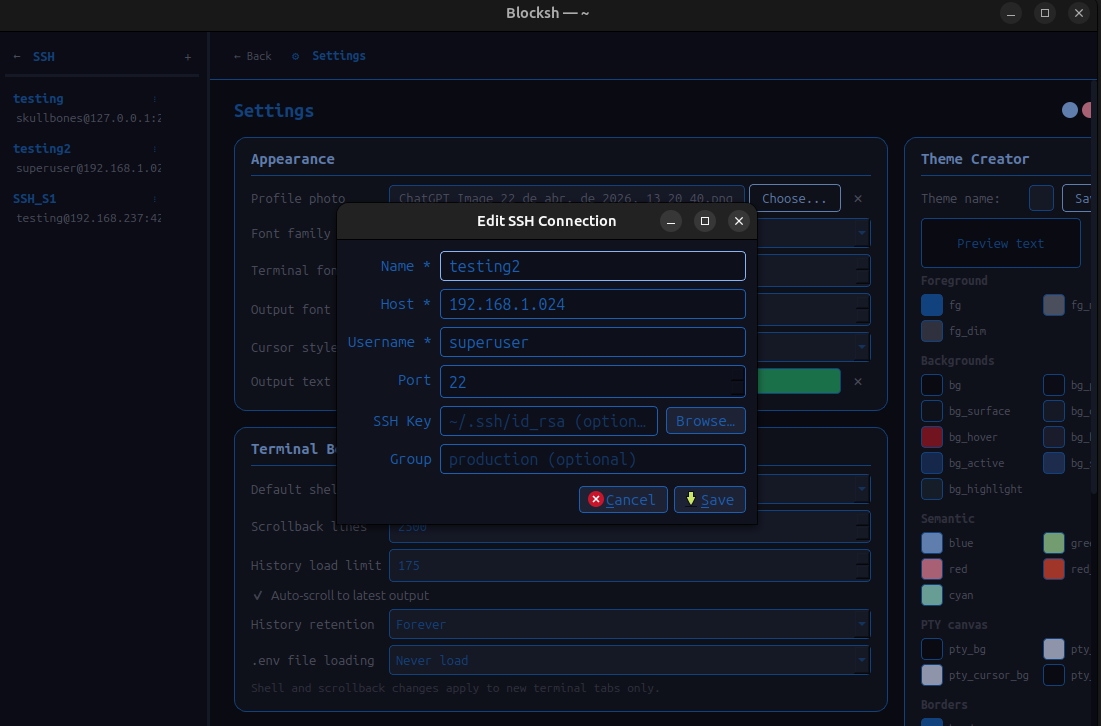
SSH connection manager
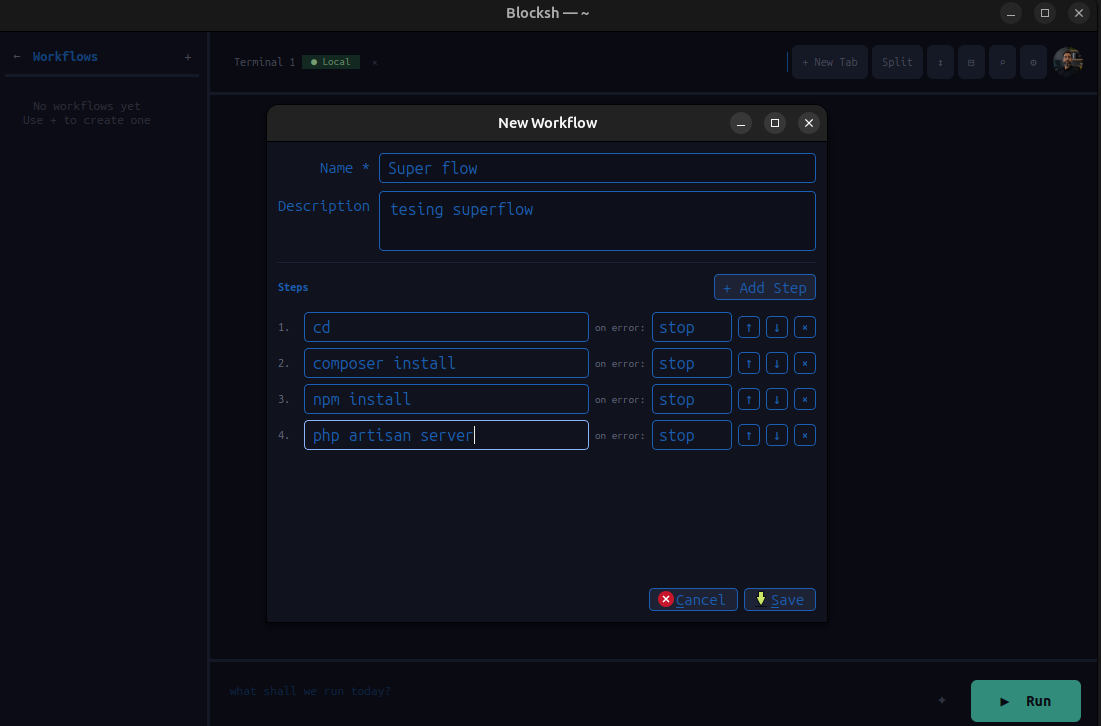
Command workflows

Themes that feel
handcrafted

Catppuccin Mocha dark theme

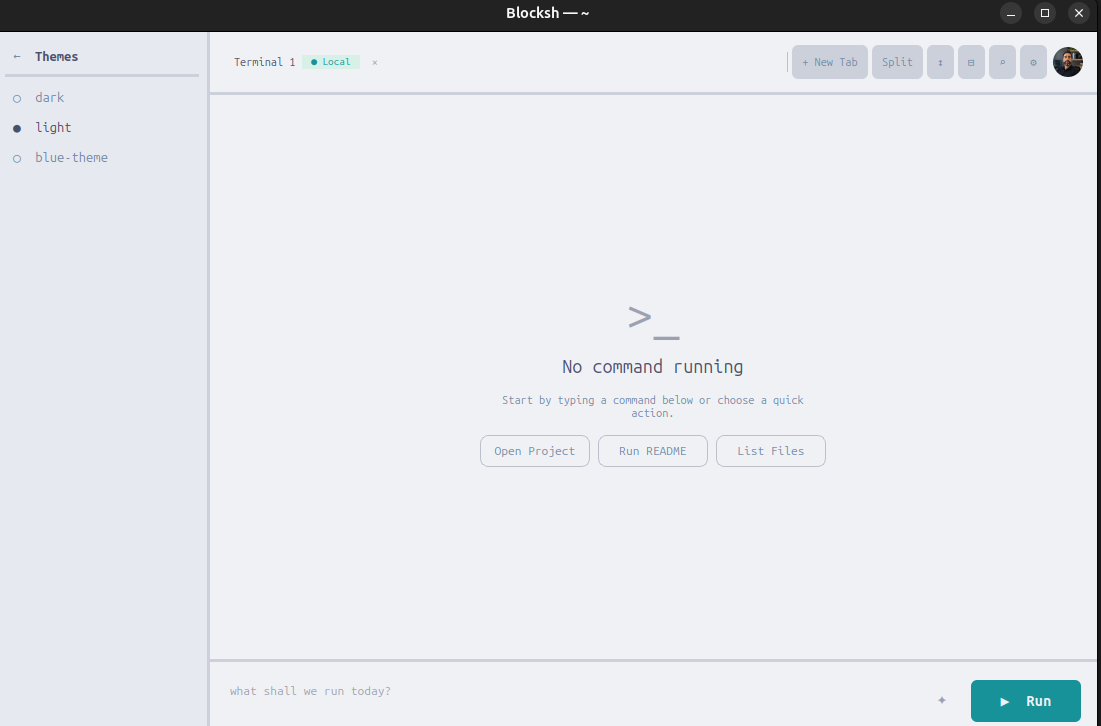
Catppuccin Latte

Soft white background with warm pastel accents — perfect for daylight

Catppuccin Mocha dark theme

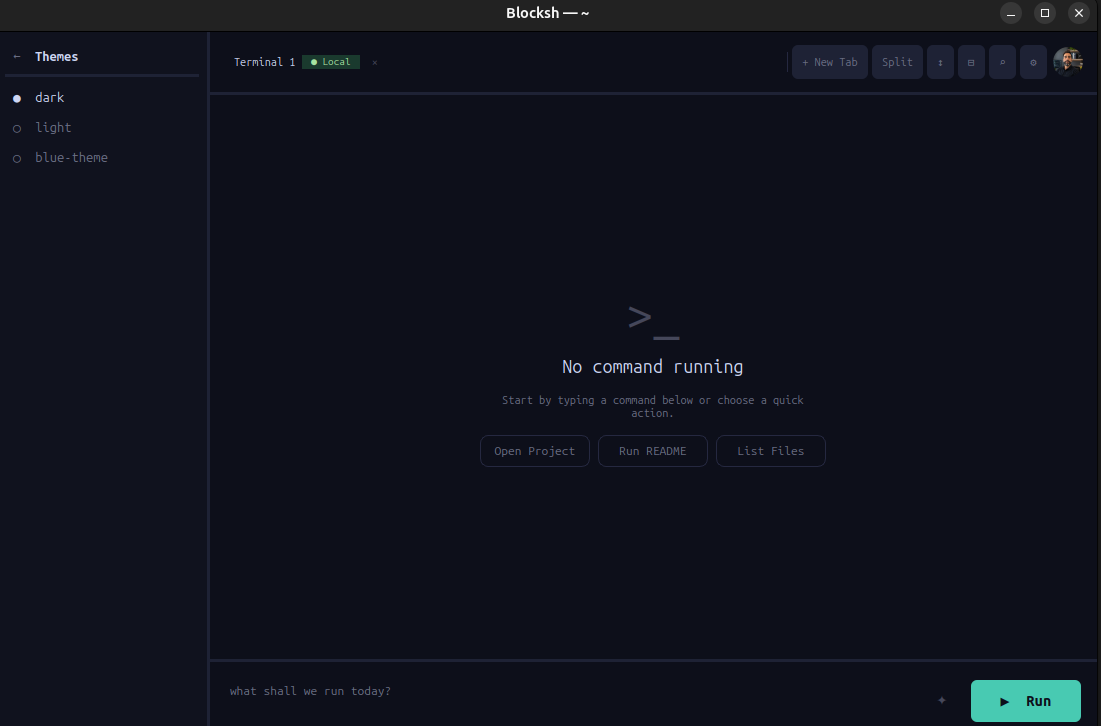
Catppuccin Mocha

Deep dark background with warm pastel accents — the default Blocksh experience

Install Blocksh

No Python or dependencies required — everything is bundled. One command installs Blocksh and adds it to your application launcher.

One-line install — recommended
curl -fsSL https://raw.githubusercontent.com/rhaymisonbetini/Blocksh/main/install.sh | bash

Installs the AppImage, creates the icon, and adds Blocksh to your app launcher. Search Blocksh in GNOME Activities or KDE after running.

1
Download the AppImage
wget https://github.com/rhaymisonbetini/Blocksh/releases/latest/download/Blocksh-x86_64.AppImage
2
Make it executable
chmod +x Blocksh-x86_64.AppImage
3
Run
./Blocksh-x86_64.AppImage

All user data lives in ~/.blocksh/ — created fresh on first launch.

View on GitHub